Crosshair Indicator
CayMac · Native mod
Dynamic target reach awareness: visual feedback on your crosshair when hovering over an entity in attack range.
Horizon's official keystrokes overlay: movement keys, mouse buttons and space bar in a corner, lit while held, with CPS.
Keystrokes is the Horizon team's own input overlay. A corner of the screen shows your movement keys, both mouse buttons and the space bar, each lighting up while held, with clicks per second under the mouse buttons. It's a staple for PvP clips, streams and tutorials, where viewers want to see exactly what you're pressing. It used to live under Options > Horizon Extras and became a separate native mod in 2.0.0.
Settings: Options > Mods > Keystrokes > Settings.
Native mod, version 2.0.0, for Minecraft 26.3. Install it from the Mods page of your instance in the launcher and press Build in the "Native build of …" row. The first native build downloads Rust and takes 20–30 minutes and a few GB of disk; after that, rebuilds take minutes. Settings from 1.0.0 carry over. See the install guide.
It reads which keys you hold and your clicks, and draws them on the HUD — that's all. Customisation is minimal: corner and CPS on or off; colours and size aren't mentioned. Turn it off in Options > Mods and it stops immediately; the next build leaves it out. MIT-licensed source in horizon-mods.
Updated:
| Version | Date | Minecraft | Changes |
|---|---|---|---|
| 2.0.0 | 29 October 2026 | 26.3 | Native: built into the game by the launcher on Horizon's native hook points; settings carry over; turn it off in Options Mods. |
Open the Horizon launcher, pick an instance on the left and go to its Mods page. In the Horizon tab, find "Keystrokes" and press Install.
In the Native build of … row press Build and confirm you trust these mods. The first build downloads Rust and takes 20–30 minutes and a few GB of disk; later builds take a couple of minutes.
Play that instance — your other instances never run the mod. Turn it on and configure it in game under Options → Mods.
Yes. Forward, left, back and right appear as you bound them.
Yes, clicks per second under the mouse buttons can be turned off in Options > Mods > Keystrokes > Settings, where you also pick the corner.
No. On its first start after the update, Horizon installed the official mod for you with your settings.
From the Horizon launcher: Mods page → find "Keystrokes" → Install. The launcher checks the SHA-256 for you. A native mod is then compiled with the Build button — the first build takes 20–30 minutes. The full steps are in "How to install" above.
The latest version, 2.0.0, targets Minecraft 26.3 on Horizon.
Yes. Its MIT license allows redistribution, so we host the file, and its SHA-256 matches the official registry.
CayMac · Native mod
Dynamic target reach awareness: visual feedback on your crosshair when hovering over an entity in attack range.
CayMac · Native mod
1:1 Better Sprinting & Lunar ToggleSprint HUD: toggle sprint and toggle sneak with [Sprinting (Toggled)] / [Key Held] / [Flying] status HUD and configurable Cre
taxtii, itzglecni · Native mod
Customizable entity hitboxes with exact weapon & spear in-reach colors, thickness, eye rays, and sprint HUD.
Horizon · Native mod
Horizon's official FPS counter: frames per second in a screen corner, plus the slowest frame and 1% low if you want them.
sillysoufi · Native mod
AppleSkin for Horizon: see your saturation, exhaustion and what the food in your hand will restore, right on the hunger bar.
Horizon · Native mod
Horizon's official minimap: the land around you in vanilla map colours, with your arrow, in a round or square frame.
bobcao3, iLoong · Shader pack
An unofficial port of bobcao3's Wisdom Shaders V3 to Horizon: soft shadows, rich atmosphere, AgX tonemapping, bloom and FXAA.
bobcao3, tomasmendes01 · Shader pack
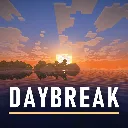
The lighter Wisdom Shaders V3 port for Horizon: the same light, fog and AgX tonemap, with the expensive effects trimmed for FPS.
hildlabs · Shader pack
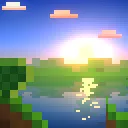
A lightweight Horizon shader pack: sun and moon shadows, reflective water, waving plants, coloured block light, sun rays and bloom.
Muurrcc · Shader pack
A bright, colourful Horizon shader pack: soft shadows, coloured light, living water, wind, and a distinct Nether and End. 29 options.


Comments
Comments load when you scroll down to them.