
AppleSkin
CayMac · Native mod
1:1 Minecraft Java parity food value preview & saturation HUD overlay.
AppleSkin for Horizon: see your saturation, exhaustion and what the food in your hand will restore, right on the hunger bar.
Vanilla hides saturation from you, which is why a full hunger bar can suddenly start dropping. On Java, AppleSkin is the usual fix. This is a Horizon port of squeek502's original, rebuilt by sillysoufi as a native mod. It's for survival players, especially in hardcore or on long trips, where choosing between steak and bread actually matters.
Every part has its own switch in Options > Mods > AppleSkin.
Native mod for Minecraft 26.3, latest version 0.1.3, signed by its author. Install it on your instance's Mods page in the launcher, then hit Build in the "Native build of …" row. The first native build fetches Rust and takes 20–30 minutes and a few GB; later ones take a few minutes.
It's young: several patches landed within a week, including an animation fix and a fix for an issue on the horizon-mods tracker. The registry's one-line summary mentions health, but the feature list only covers hunger and saturation, so that's what to expect. The port is MIT; the original AppleSkin copyright and licence notices are in the LICENSE file in its source. Like any native mod it isn't sandboxed, so glance at the source first.
Updated:
| Version | Date | Minecraft | Changes |
|---|---|---|---|
| 0.1.3 | 5 November 2026 | 26.3 | Fix for https://github.com/horizon rust/horizon mods/issues/289 |
| 0.1.2 | 2 November 2026 | 26.3 | animation fix |
| 0.1.1 | 31 October 2026 | 26.3 | dumped to 0.1.1 added icon |
| 1.0.0 | 30 October 2026 | 26.3 | First release. AppleSkin for Horizon as a native mod: saturation, exhaustion and the food in your hand, drawn over the food bar. |
Open the Horizon launcher, pick an instance on the left and go to its Mods page. In the Horizon tab, find "AppleSkin" and press Install.
In the Native build of … row press Build and confirm you trust these mods. The first build downloads Rust and takes 20–30 minutes and a few GB of disk; later builds take a couple of minutes.
Play that instance — your other instances never run the mod. Turn it on and configure it in game under Options → Mods.
No, Java mod jars don't run in Horizon. This is a native Horizon port of squeek502's AppleSkin by sillysoufi.
You can pick fade in, pulse or both (the default), and turn each part of the overlay on or off in Options > Mods > AppleSkin.
Exhaustion: how close you are to losing the next hunger point.
From the Horizon launcher: Mods page → find "AppleSkin" → Install. The launcher checks the SHA-256 and the author's signature for you. A native mod is then compiled with the Build button — the first build takes 20–30 minutes. The full steps are in "How to install" above.
The latest version, 0.1.3, targets Minecraft 26.3 on Horizon.
Yes. Its MIT license allows redistribution, so we host the file, and its SHA-256 matches the official registry.
CayMac · Native mod
1:1 Minecraft Java parity food value preview & saturation HUD overlay.
sillysoufi · Native mod
A Horizon port of Eating Animation: food, milk and potions in your hand show bitten frames while you eat or drink.

Snownee, Joeypc6 · Native mod
The look-at tooltip: what you're pointing at, its mod, its details and its state.

CayMac · Native mod
1:1 Status Effect Bars & Inventory HUD+ Potion HUD: displays active potion/beacon effects with icons, Roman numeral amplifiers, color-coded mm:ss countdown time

CayMac · Native mod
Dynamic target reach awareness: visual feedback on your crosshair when hovering over an entity in attack range.
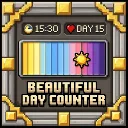
SCARABOCCHIO100 · Native mod
A lightweight day counter, clock and day/night cycle bar for the HUD, with an in-game settings screen.

bobcao3, iLoong · Shader pack
An unofficial port of bobcao3's Wisdom Shaders V3 to Horizon: soft shadows, rich atmosphere, AgX tonemapping, bloom and FXAA.

bobcao3, tomasmendes01 · Shader pack
The lighter Wisdom Shaders V3 port for Horizon: the same light, fog and AgX tonemap, with the expensive effects trimmed for FPS.
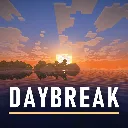
hildlabs · Shader pack
A lightweight Horizon shader pack: sun and moon shadows, reflective water, waving plants, coloured block light, sun rays and bloom.
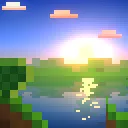
Muurrcc · Shader pack
A bright, colourful Horizon shader pack: soft shadows, coloured light, living water, wind, and a distinct Nether and End. 29 options.
Comments
Comments load when you scroll down to them.