
Zoomify
DeportedToHell · Native mod
A port of Zoomify: a zoom key with smooth transitions, scroll zoom, a secondary zoom and Zoomify's own settings screen.

Horizon's official zoom mod: hold Z to zoom in, scroll for up to 10x, let go and your normal view snaps back.
If you only install one Horizon mod, it's probably this one: per the registry on 9 November 2026, Zoom is the most-downloaded project in the catalog, with 60,337 downloads. It's made by the Horizon team itself and used to be a toggle under Options > Horizon Extras. Since 2.0.0 it's a standalone native mod. It's handy for scouting from a mountaintop, checking whether that far wall lines up, or spotting a village without fishing out a spyglass.
Native mod, version 2.0.0, for Minecraft 26.3. Add it from your instance's Mods page in the launcher, then press Build in the "Native build of …" row. The very first native build downloads Rust and takes 20–30 minutes and a few GB of disk; later builds take a few minutes. Our mod install guide walks through it.
Zoom listens only to its own key, plus the mouse wheel while that key is held, and it only touches the camera. Turn it off in Options > Mods and it stops right away; the next build leaves it out entirely. It only runs in the instance you built it for. The source is MIT-licensed in the horizon-mods repository.
Updated:
| Version | Date | Minecraft | Changes |
|---|---|---|---|
| 2.0.0 | 29 October 2026 | 26.3 | Native: built into the game by the launcher on Horizon's native hook points; settings carry over; turn it off in Options Mods. |
Open the Horizon launcher, pick an instance on the left and go to its Mods page. In the Horizon tab, find "Zoom" and press Install.
In the Native build of … row press Build and confirm you trust these mods. The first build downloads Rust and takes 20–30 minutes and a few GB of disk; later builds take a couple of minutes.
Play that instance — your other instances never run the mod. Turn it on and configure it in game under Options → Mods.
Z. You can rebind it in Options > Mods > Zoom > Settings, along with the starting zoom level.
While you hold the key, the mouse wheel zooms further in or out, up to 10x.
No. Settings from version 1.0.0 carry over to the 2.0.0 native mod.
From the Horizon launcher: Mods page → find "Zoom" → Install. The launcher checks the SHA-256 for you. A native mod is then compiled with the Build button — the first build takes 20–30 minutes. The full steps are in "How to install" above.
The latest version, 2.0.0, targets Minecraft 26.3 on Horizon.
Yes. Its MIT license allows redistribution, so we host the file, and its SHA-256 matches the official registry.
DeportedToHell · Native mod
A port of Zoomify: a zoom key with smooth transitions, scroll zoom, a secondary zoom and Zoomify's own settings screen.
Surge · Native mod
Hold V to zoom 3x, scroll for more, release to snap back. Instant, no settings, inspired by WI Zoom.
_idom_ · Native mod
Freecam for Horizon: press U to fly the camera anywhere while your player stands perfectly still.


Lutziano888 · Native mod
Fly the camera freely while your player stays where it is, with an optional fair play mode.

Horizon · Native mod
Horizon's official FPS counter: frames per second in a screen corner, plus the slowest frame and 1% low if you want them.

Horizon · Native mod
Horizon's official minimap: the land around you in vanilla map colours, with your arrow, in a round or square frame.
Horizon · Native mod
Horizon's official recipe viewer: every item beside your inventory, search by name, id or tag, R for recipes and U for uses.

Horizon · Native mod
Horizon's official keystrokes overlay: movement keys, mouse buttons and space bar in a corner, lit while held, with CPS.
bobcao3, iLoong · Shader pack
An unofficial port of bobcao3's Wisdom Shaders V3 to Horizon: soft shadows, rich atmosphere, AgX tonemapping, bloom and FXAA.

bobcao3, tomasmendes01 · Shader pack
The lighter Wisdom Shaders V3 port for Horizon: the same light, fog and AgX tonemap, with the expensive effects trimmed for FPS.
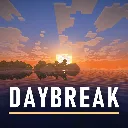
hildlabs · Shader pack
A lightweight Horizon shader pack: sun and moon shadows, reflective water, waving plants, coloured block light, sun rays and bloom.
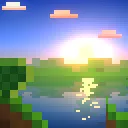
Muurrcc · Shader pack
A bright, colourful Horizon shader pack: soft shadows, coloured light, living water, wind, and a distinct Nether and End. 29 options.
Comments
Comments load when you scroll down to them.