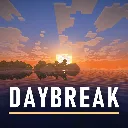
Daybreak
hildlabs · Shader pack
A lightweight Horizon shader pack: sun and moon shadows, reflective water, waving plants, coloured block light, sun rays and bloom.

A cozy, Photon-inspired Horizon shader pack: soft shadows, warm sunsets, volumetric clouds, light shafts and clear water.
Lumen by Lutziano888 goes for a cozy, warm mood inspired by the look of Photon, but it's original code written in Horizon's own shader format, with no Minecraft assets. The registry tags it "medium", so it's aimed at mid-range hardware rather than top-end cards. Picture a riverside farm at sunset with fireflies over the grass, and you've got the target.
Shader pack, version 2.1.0, for Minecraft 26.3. It needs a Horizon build from 2026-11-03 or newer. Install it from the Shader packs tab on the launcher's Mods page, which drops it in your shaderpacks folder, then pick it under Options > Horizon Settings > Shader Packs. Our shader install guide shows each step.
2.1.0 is the pack's first registry release, published on 6 November 2026. The author gives no performance numbers, so check your FPS before settling in. Horizon's shader API is still version 0.1 and experimental. MIT licensed.
Updated:
| Version | Date | Minecraft | Changes |
|---|---|---|---|
| 2.5.1 | 9 November 2026 | 26.3 | New: Quality setting Low / Medium / High / Ultra to fit your PC New "Graphics and Performance" page: shadows on/off, shadow resolution (1024–4096), shadow… |
| 2.1.0 | 6 November 2026 | 26.3 | First release. Needs a Horizon build from 2026 11 03 or newer. |
Mods page → Shader packs tab → "Lumen" → Install. The launcher puts it into the shaderpacks folder.
Download lumen-2.5.1.hshader with the button on this page, check its SHA-256 and drop it into the shaderpacks folder next to options.txt.
Open Options → Horizon Settings → Shader Packs and pick the pack.
No. It's inspired by Photon's look, but all the code is original and it contains no Minecraft assets.
A build from 2026-11-03 or newer.
Options > Horizon Settings > Shader Packs > Shader Options; every effect can be changed there.
From the Horizon launcher: Mods page → find "Lumen" → Install. The launcher checks the SHA-256 for you. The full steps are in "How to install" above.
The latest version, 2.5.1, targets Minecraft 26.3 on Horizon.
Yes. Its MIT license allows redistribution, so we host the file, and its SHA-256 matches the official registry.
hildlabs · Shader pack
A lightweight Horizon shader pack: sun and moon shadows, reflective water, waving plants, coloured block light, sun rays and bloom.
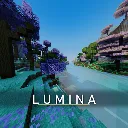
cosmo-jar · Shader pack
A high-FPS Horizon shader pack: real-time shadows, physically based water, roof overhang shading, volumetric 3D clouds, crisp FXAA.
fbi · Shader pack
SixthSurge's Photon shaders ported to Horizon: realistic sky, volumetric clouds, soft coloured shadows, water, fog and bloom.

Reminuscul · Shader pack
A bright, enchanting world: painted sky, volumetric clouds, sunbeams, soft shadows, living water and colored lights.

iLoong · Shader pack
A shader pack for Horizon, written against Horizon's native shader API 0.1

Evan-lhm · Shader pack
Vivid colours, volumetric clouds, mirror-like water, rain that soaks the ground and warm torch-lit nights.

Lutziano888 · Native mod
Hold right click with a block and every new spot you look at gets one, however fast you move.
Lutziano888 · Native mod
Fly the camera freely while your player stays where it is, with an optional fair play mode.

Horizon · Native mod
Horizon's official zoom mod: hold Z to zoom in, scroll for up to 10x, let go and your normal view snaps back.

Horizon · Native mod
Horizon's official FPS counter: frames per second in a screen corner, plus the slowest frame and 1% low if you want them.

sillysoufi · Native mod
AppleSkin for Horizon: see your saturation, exhaustion and what the food in your hand will restore, right on the hunger bar.

Horizon · Native mod
Horizon's official minimap: the land around you in vanilla map colours, with your arrow, in a round or square frame.
Comments
Comments load when you scroll down to them.