
Freecam+ — Horizon mod
Freecam for Horizon: press U to fly the camera anywhere while your player stands perfectly still.
Freecam+ by idom separates your camera from your body. Press U and you're flying around the world while your character stays put — it doesn't move or turn, so as far as the server can tell, you're just standing there. Builders use this kind of mod to judge a build from outside, screenshot and video makers to get angles without moving their player, and redstone engineers to inspect a contraption from every side.
Features
- U detaches the camera.
- WASD, Space and Shift to fly in any direction.
- Ctrl for a speed boost; mouse wheel to set the speed.
- Through-walls flight and speed in Options > Mods > Freecam.
- Your player doesn't move or turn while you fly.
Compatibility and install
Native mod, version 1.0.1, for Minecraft 26.3, signed by its author. Version 1.0.1 was confirmed working on Nightly 66f3981. Install it on your instance's Mods page in the launcher and press Build in the "Native build of …" row. The first native build downloads Rust and takes 20–30 minutes and a few GB; after that, builds take a few minutes. The install guide has the full process.
Limitations
It won't run on v0.2.97, which lacks native hooks, and the author only says "likely" for versions above that. The description is brief, so don't expect features beyond those listed. One opinion of ours: flying through walls lets you see things a normal player can't, so check a server's rules before using it somewhere that isn't yours.
Updated:
Versions
| Version | Date | Minecraft | Changes |
|---|---|---|---|
| 1.0.1 | 6 November 2026 | 26.3 | Works on Nightly 66f3981. |
| 1.0.0 | 31 October 2026 | 26.3 | Initial Release. |
How to install
Find the mod in the launcher
Open the Horizon launcher, pick an instance on the left and go to its Mods page. In the Horizon tab, find "Freecam+" and press Install.
Build the mods
In the Native build of … row press Build and confirm you trust these mods. The first build downloads Rust and takes 20–30 minutes and a few GB of disk; later builds take a couple of minutes.
Play
Play that instance — your other instances never run the mod. Turn it on and configure it in game under Options → Mods.
FAQ
What are the Freecam+ controls?
U detaches the camera. Fly with WASD, Space and Shift, hold Ctrl to go faster, and use the mouse wheel to change speed.
Can the camera go through walls?
Yes. Through-walls flight and speed are set in Options > Mods > Freecam.
Which Horizon versions does it work on?
Not on v0.2.97, which has no native hooks. The author says it works on all nightly releases and likely on versions after v0.2.97; 1.0.1 was confirmed on Nightly 66f3981.
How do I install Freecam+?
From the Horizon launcher: Mods page → find "Freecam+" → Install. The launcher checks the SHA-256 and the author's signature for you. A native mod is then compiled with the Build button — the first build takes 20–30 minutes. The full steps are in "How to install" above.
Which Minecraft version does Freecam+ support?
The latest version, 1.0.1, targets Minecraft 26.3 on Horizon.
Can I download Freecam+ from this site?
Yes. Its MIT license allows redistribution, so we host the file, and its SHA-256 matches the official registry.
Similar
Fair Freecam
Lutziano888 · Native mod
Fly the camera freely while your player stays where it is, with an optional fair play mode.

Zoom
Horizon · Native mod
Horizon's official zoom mod: hold Z to zoom in, scroll for up to 10x, let go and your normal view snaps back.

Classic Zoom
Surge · Native mod
Hold V to zoom 3x, scroll for more, release to snap back. Instant, no settings, inspired by WI Zoom.
By the same author


Goes well with
Wisdom Shaders V3 (Horizon port)
bobcao3, iLoong · Shader pack
An unofficial port of bobcao3's Wisdom Shaders V3 to Horizon: soft shadows, rich atmosphere, AgX tonemapping, bloom and FXAA.

Wisdom Shaders V3 Lite (Horizon port)
bobcao3, tomasmendes01 · Shader pack
The lighter Wisdom Shaders V3 port for Horizon: the same light, fog and AgX tonemap, with the expensive effects trimmed for FPS.
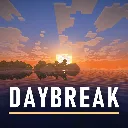
Daybreak
hildlabs · Shader pack
A lightweight Horizon shader pack: sun and moon shadows, reflective water, waving plants, coloured block light, sun rays and bloom.
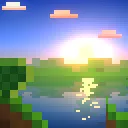
Montarc
Muurrcc · Shader pack
A bright, colourful Horizon shader pack: soft shadows, coloured light, living water, wind, and a distinct Nether and End. 29 options.
Comments
Comments load when you scroll down to them.