
Jade
Snownee, Joeypc6 · Native mod
The look-at tooltip: what you're pointing at, its mod, its details and its state.
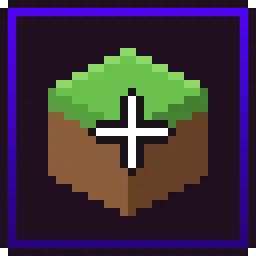
A WAILA-style HUD for Horizon: the block or mob under your crosshair as a vanilla tooltip with name, health and harvest tool.
If you've used WAILA or Jade on Java, you know the idea: look at something, and a little box at the top of the screen tells you what it is. LookAt by d3grando does that for Horizon, styled as a vanilla tooltip with the item icon, the name in your language and the namespace it comes from. Handy for newer players, for anyone running content mods who wants to know where a block came from, and for checking whether your pickaxe is up to the job.
Native mod, version 0.2.1, for Minecraft 26.3. Tested against Horizon 142388e with Horizon Mixins 0d6b103, and the launcher builds those exact revisions. Install it from the launcher's Mods page and press Build; the first native build downloads Rust and takes 20–30 minutes. Walkthrough: how to install mods.
0.2.1 moved LookAt to a native mod because WebAssembly code mods are being phased out of Horizon. Native mods aren't sandboxed and run with your account's permissions, so the author suggests reading the source first.
Updated:
| Version | Date | Minecraft | Changes |
|---|---|---|---|
| 0.2.1 | 29 October 2026 | 26.3 | Now a native mod (WebAssembly code mods are going away). New: mobs, players and other entities under the crosshair with their health, the harvest tool a block… |
Open the Horizon launcher, pick an instance on the left and go to its Mods page. In the Horizon tab, find "LookAt" and press Install.
In the Native build of … row press Build and confirm you trust these mods. The first build downloads Rust and takes 20–30 minutes and a few GB of disk; later builds take a couple of minutes.
Play that instance — your other instances never run the mod. Turn it on and configure it in game under Options → Mods.
Same idea: it shows what you're looking at. LookAt draws it as a vanilla-style tooltip with the item icon, the name in your language and the namespace it comes from.
Blocks up to 1024 blocks away, including distant terrain. Range is a setting.
Yes, settings from 0.1.0 carry over to the native 0.2.1.
From the Horizon launcher: Mods page → find "LookAt" → Install. The launcher checks the SHA-256 for you. A native mod is then compiled with the Build button — the first build takes 20–30 minutes. The full steps are in "How to install" above.
The latest version, 0.2.1, targets Minecraft 26.3 on Horizon.
Yes. Its MIT license allows redistribution, so we host the file, and its SHA-256 matches the official registry.
Snownee, Joeypc6 · Native mod
The look-at tooltip: what you're pointing at, its mod, its details and its state.
Domanffe · Native mod
The block under your crosshair: its name, id, distance and icon, plus hardness, states and a container's slots.

Horizon · Native mod
Horizon's official FPS counter: frames per second in a screen corner, plus the slowest frame and 1% low if you want them.

sillysoufi · Native mod
AppleSkin for Horizon: see your saturation, exhaustion and what the food in your hand will restore, right on the hunger bar.

Horizon · Native mod
Horizon's official minimap: the land around you in vanilla map colours, with your arrow, in a round or square frame.

d3grando · Native mod
A tidier F3 debug screen for Horizon: the same info split into 14 modules you can recolour, reorder and hide.
d3grando · Native mod
Inventory mouse tricks for Horizon: drag to spread or gather items, scroll to move them one at a time, press R to sort.
d3grando · Native mod
Chop one log of a natural tree with an axe and the whole tree comes down, with normal drops, hunger and axe wear.
d3grando · Native mod
A one-line, plain-words description under every enchantment in item tooltips, for all 26.3 enchantments, in English and Russian.
d3grando · Native mod
Sneak and right-click with an empty hand to pick up a chest with its items, or a small friendly mob, and carry it anywhere.

bobcao3, iLoong · Shader pack
An unofficial port of bobcao3's Wisdom Shaders V3 to Horizon: soft shadows, rich atmosphere, AgX tonemapping, bloom and FXAA.

bobcao3, tomasmendes01 · Shader pack
The lighter Wisdom Shaders V3 port for Horizon: the same light, fog and AgX tonemap, with the expensive effects trimmed for FPS.
hildlabs · Shader pack
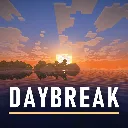
A lightweight Horizon shader pack: sun and moon shadows, reflective water, waving plants, coloured block light, sun rays and bloom.

Muurrcc · Shader pack
A bright, colourful Horizon shader pack: soft shadows, coloured light, living water, wind, and a distinct Nether and End. 29 options.
Comments
Comments load when you scroll down to them.