FPS Counter
Horizon · Native mod
Horizon's official FPS counter: frames per second in a screen corner, plus the slowest frame and 1% low if you want them.

One fully configurable HUD with a drag-and-drop editor and four views per module.
We haven't written a full write-up for this project yet. Below is a short card from the registry data; the one-line summary is the author's.
One fully configurable HUD with a drag-and-drop editor and four views per module.
| Type | Native mod |
|---|---|
| Categories | Utility |
| Tags | hud, ui |
| Compatibility | Minecraft 26.3 · Horizon |
| License | MIT |
| Published | 6 November 2026 |
| Updated | 6 November 2026 |
Updated:
| Version | Date | Minecraft | Changes |
|---|---|---|---|
| 4 | 6 November 2026 | 26.3 | Four views for every module — Minimal, Compact, Standard and Full. Standard keeps the module's individual switches; the other three are presets, so one row… |
Open the Horizon launcher, pick an instance on the left and go to its Mods page. In the Horizon tab, find "HUD+" and press Install.
In the Native build of … row press Build and confirm you trust these mods. The first build downloads Rust and takes 20–30 minutes and a few GB of disk; later builds take a couple of minutes.
Play that instance — your other instances never run the mod. Turn it on and configure it in game under Options → Mods.
From the Horizon launcher: Mods page → find "HUD+" → Install. The launcher checks the SHA-256 for you. A native mod is then compiled with the Build button — the first build takes 20–30 minutes. The full steps are in "How to install" above.
The latest version, 4, targets Minecraft 26.3 on Horizon.
Yes. Its MIT license allows redistribution, so we host the file, and its SHA-256 matches the official registry.
Horizon · Native mod
Horizon's official FPS counter: frames per second in a screen corner, plus the slowest frame and 1% low if you want them.

sillysoufi · Native mod
AppleSkin for Horizon: see your saturation, exhaustion and what the food in your hand will restore, right on the hunger bar.

Horizon · Native mod
Horizon's official minimap: the land around you in vanilla map colours, with your arrow, in a round or square frame.

tariksabanuz · Native mod
A Mods button on Horizon's title screen opening a Mod Menu-style list of every installed mod, with search, filters and settings.
d3grando · Native mod
A tidier F3 debug screen for Horizon: the same info split into 14 modules you can recolour, reorder and hide.

CayMac · Native mod
An armor HUD for Horizon: your armor and held items with durability in Java Edition's green, yellow, orange and red.

bobcao3, iLoong · Shader pack
An unofficial port of bobcao3's Wisdom Shaders V3 to Horizon: soft shadows, rich atmosphere, AgX tonemapping, bloom and FXAA.

bobcao3, tomasmendes01 · Shader pack
The lighter Wisdom Shaders V3 port for Horizon: the same light, fog and AgX tonemap, with the expensive effects trimmed for FPS.
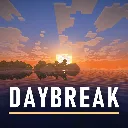
hildlabs · Shader pack
A lightweight Horizon shader pack: sun and moon shadows, reflective water, waving plants, coloured block light, sun rays and bloom.
Muurrcc · Shader pack
A bright, colourful Horizon shader pack: soft shadows, coloured light, living water, wind, and a distinct Nether and End. 29 options.
Comments
Comments load when you scroll down to them.