
Mod Menu
DeportedToHell · Native mod
A port of TerraformersMC's Mod Menu: a Mods button on the title screen and pause menu opening Mod Menu's list of your mods.

A Mods button on Horizon's title screen opening a Mod Menu-style list of every installed mod, with search, filters and settings.
Coming to Horizon from Fabric, one of the first things you might miss is Mod Menu. tariksabanuz's Mod Menu for Horizon fills that gap: a Mods button on the title screen opens a list of every installed mod with its icon, name, version and description, laid out like the Java Mod Menu. It earns its keep once your mod list grows past a handful and you start forgetting what's on.
Native mod, version 0.3.3, for Minecraft 26.3. Install it on your instance's Mods page in the launcher and press Build in the "Native build of …" row. The first native build downloads Rust and takes 20–30 minutes and a few GB; after that, minutes. See the mod install guide for the full walkthrough.
It's a nicer front end rather than new capability: Horizon already lists mods with switches and settings under Options > Mods. The registry has no changelog text for its recent versions, so check the repository if you want to know what changed. And since it's a native mod, it isn't sandboxed — install it if you trust the author.
Updated:
| Version | Date | Minecraft | Changes |
|---|---|---|---|
| 0.3.5 | 9 November 2026 | 26.3 | Source now matches the published file exactly (the Mods button icon is no longer drawn on the Realms button). Rebuilt for the latest Horizon nightly (fdc87ae… |
| 0.3.3 | 5 November 2026 | 26.3 | |
| 0.3.0 | 3 November 2026 | 26.3 |
Open the Horizon launcher, pick an instance on the left and go to its Mods page. In the Horizon tab, find "Mod Menu" and press Install.
In the Native build of … row press Build and confirm you trust these mods. The first build downloads Rust and takes 20–30 minutes and a few GB of disk; later builds take a couple of minutes.
Play that instance — your other instances never run the mod. Turn it on and configure it in game under Options → Mods.
On the title screen, in the icon row right after Accessibility.
Yes. Select a mod to see its version, type, description and any problems, switch it on or off, or open its own settings page.
No. It's a clean-room native mod for Horizon with no Mod Menu code; only the layout is modelled on it.
From the Horizon launcher: Mods page → find "Mod Menu" → Install. The launcher checks the SHA-256 for you. A native mod is then compiled with the Build button — the first build takes 20–30 minutes. The full steps are in "How to install" above.
The latest version, 0.3.5, targets Minecraft 26.3 on Horizon.
Yes. Its MIT license allows redistribution, so we host the file, and its SHA-256 matches the official registry.
DeportedToHell · Native mod
A port of TerraformersMC's Mod Menu: a Mods button on the title screen and pause menu opening Mod Menu's list of your mods.

adasjusk, Vakarux12 · Native mod
Rotating server list MOTDs, managed in game with /randommotd and /motd.

DeportedToHell · Native mod
A port of Smooth Swapping: items fly from slot to slot instead of jumping, along an animation curve you can edit.


Aron · Native mod
Persistent client-side waypoints with 3D world markers, minimap dots, a native editor, and automatic death markers for Horizon.
tariksabanuz · Native mod
Physics for Horizon, inspired by PhysicsMod: ragdolls, waves, physical particles and capes.

tariksabanuz · Native mod
Using a crafting table, furnace, anvil, enchanting table and more moves the camera in close for a cinematic, hands-on scene.
bobcao3, iLoong · Shader pack
An unofficial port of bobcao3's Wisdom Shaders V3 to Horizon: soft shadows, rich atmosphere, AgX tonemapping, bloom and FXAA.

bobcao3, tomasmendes01 · Shader pack
The lighter Wisdom Shaders V3 port for Horizon: the same light, fog and AgX tonemap, with the expensive effects trimmed for FPS.
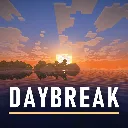
hildlabs · Shader pack
A lightweight Horizon shader pack: sun and moon shadows, reflective water, waving plants, coloured block light, sun rays and bloom.
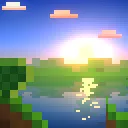
Muurrcc · Shader pack
A bright, colourful Horizon shader pack: soft shadows, coloured light, living water, wind, and a distinct Nether and End. 29 options.
Comments
Comments load when you scroll down to them.