
Wisdom Shaders V3 (Horizon port)
bobcao3, iLoong · Shader pack
An unofficial port of bobcao3's Wisdom Shaders V3 to Horizon: soft shadows, rich atmosphere, AgX tonemapping, bloom and FXAA.
Horizon loads two kinds of shader packs: its own .hshader packs (WGSL written for its renderer and checked before they run) and the usual Iris/OptiFine packs, read by a separate loader — not every one of those looks exactly as it does on Iris yet. Listed here are the registry packs made for Horizon. We tag how hard each one hits your GPU: light ones suit a laptop with integrated graphics, heavy ones are for screenshots on a strong PC.
bobcao3, iLoong · Shader pack
An unofficial port of bobcao3's Wisdom Shaders V3 to Horizon: soft shadows, rich atmosphere, AgX tonemapping, bloom and FXAA.

hildlabs · Shader pack
A lightweight Horizon shader pack: sun and moon shadows, reflective water, waving plants, coloured block light, sun rays and bloom.

Muurrcc · Shader pack
A bright, colourful Horizon shader pack: soft shadows, coloured light, living water, wind, and a distinct Nether and End. 29 options.
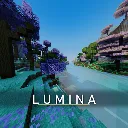
cosmo-jar · Shader pack
A high-FPS Horizon shader pack: real-time shadows, physically based water, roof overhang shading, volumetric 3D clouds, crisp FXAA.
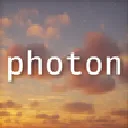
fbi · Shader pack
SixthSurge's Photon shaders ported to Horizon: realistic sky, volumetric clouds, soft coloured shadows, water, fog and bloom.
Yes — a separate Horizon loader reads them from the same shaderpacks folder. It was written from a spec of the format, so some packs don't look quite like they do on Iris yet. The shader install guide has the details.
Filter by "Light on FPS". On integrated graphics start with the simplest pack and lower your render distance.
Registry packs install from the launcher (Mods page, Shader packs tab) into the shaderpacks folder; a pack from elsewhere goes into the same folder by hand. Then pick it from the Shader Packs list in the game's options. The guide walks through it.