Shulker Box Tooltip
DeportedToHell · Native mod
A port of ShulkerBoxTooltip: the contents of shulker boxes, chests, the ender chest and bundles right in their tooltip.

See inside shulker boxes without placing them: all 27 slots as a 9 x 3 grid in the tooltip, with icons and stack counts.
Shulker boxes are endgame storage, and the annoying part is that you can't see inside without placing one. ShulkerPeek by vstxx fixes that: hover a box and its 27 slots appear in the tooltip as a 9 x 3 grid, laid out like the box's own screen, with item icons and stack counts. It's for anyone who sorts loot into colour-coded boxes, comes back from the End with a full inventory, or trades boxes with friends.
minecraft:tooltip_display).Native mod, version 0.1.0, for Minecraft 26.3, built for Horizon Nightly 2026-10-29 (5e391eb). It builds alongside Horizon's official native mods. Install it from the launcher's Mods page and press Build; the first native build downloads Rust and takes 20–30 minutes, later ones a few minutes.
The grid works in single player, LAN worlds you host and on vanilla servers. On other Horizon servers that don't run the mod, boxes look empty — a quirk of Horizon's built-in server, not of ShulkerPeek itself.
Updated:
| Version | Date | Minecraft | Changes |
|---|---|---|---|
| 0.1.0 | 29 October 2026 | 26.3 |
Open the Horizon launcher, pick an instance on the left and go to its Mods page. In the Horizon tab, find "ShulkerPeek" and press Install.
In the Native build of … row press Build and confirm you trust these mods. The first build downloads Rust and takes 20–30 minutes and a few GB of disk; later builds take a couple of minutes.
Play that instance — your other instances never run the mod. Turn it on and configure it in game under Options → Mods.
Horizon's built-in server currently leaves box contents out of what it sends to the game window. ShulkerPeek sends them the way vanilla does, so the grid works in single player, LAN worlds you host and vanilla servers, but boxes look empty on Horizon servers without the mod.
Yes. In Options > Mods > ShulkerPeek > Settings choose always or Shift-only; you can also show a grid for empty boxes and tint it with the box's dye colour.
The author says it never changes items, inventories or worlds, and you can turn it off at any time in Options > Mods.
From the Horizon launcher: Mods page → find "ShulkerPeek" → Install. The launcher checks the SHA-256 for you. A native mod is then compiled with the Build button — the first build takes 20–30 minutes. The full steps are in "How to install" above.
The latest version, 0.1.0, targets Minecraft 26.3 on Horizon. Heads up: it currently doesn't build on the newest nightly — see the compatibility note.
Yes. Its MIT license allows redistribution, so we host the file, and its SHA-256 matches the official registry.
DeportedToHell · Native mod
A port of ShulkerBoxTooltip: the contents of shulker boxes, chests, the ender chest and bundles right in their tooltip.
selfmonoraque5 · Native mod
See a map's picture in its tooltip and in its inventory slot, so you can tell your maps apart
d3grando · Native mod
Inventory mouse tricks for Horizon: drag to spread or gather items, scroll to move them one at a time, press R to sort.
d3grando · Native mod
Newly picked-up items glow in your hotbar and inventory until you look at them.

CayMac · Native mod
R-key & UI sorting (Category, A-Z, Count, ID), Auto-Refill depleted stacks, Tool Break Protection, and Quick-Stack to chests.

DeportedToHell · Native mod
Mouse Tweaks from Java: right-drag to spread, left-drag to gather or quick-move, the wheel moves items one by one.

bobcao3, iLoong · Shader pack
An unofficial port of bobcao3's Wisdom Shaders V3 to Horizon: soft shadows, rich atmosphere, AgX tonemapping, bloom and FXAA.

bobcao3, tomasmendes01 · Shader pack
The lighter Wisdom Shaders V3 port for Horizon: the same light, fog and AgX tonemap, with the expensive effects trimmed for FPS.
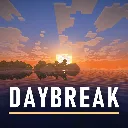
hildlabs · Shader pack
A lightweight Horizon shader pack: sun and moon shadows, reflective water, waving plants, coloured block light, sun rays and bloom.

Muurrcc · Shader pack
A bright, colourful Horizon shader pack: soft shadows, coloured light, living water, wind, and a distinct Nether and End. 29 options.
Comments
Comments load when you scroll down to them.