

Better Dynamic Lights — Horizon mod
Horizon's built-in dynamic lights, with more: glowing creatures, projectiles and TNT shine too, water puts out fire, a switch for every light.
We haven't written a full write-up for this project yet. Below is a short card from the registry data; the one-line summary is the author's.
Horizon's built-in dynamic lights, with more: glowing creatures, projectiles and TNT shine too, water puts out fire, a switch for every light.
| Type | Native mod |
|---|---|
| Categories | Utility, Decoration |
| Tags | lighting, dynamic-lights, torch, visual, better-dynamic-lights |
| Compatibility | Minecraft 26.3 · Horizon |
| License | MIT |
| Published | 8 November 2026 |
| Updated | 10 November 2026 |
Updated:
Versions
| Version | Date | Minecraft | Changes |
|---|---|---|---|
| 1.0.3 | 10 November 2026 | 26.3 | Renamed to Better Dynamic Lights; the page compares it with the dynamic lights built into Horizon; the source moved to betterdynamiclights/. Replaces 1.0.1 (… |
| 1.0.0 | 8 November 2026 | 26.3 | First release. |
How to install
Find the mod in the launcher
Open the Horizon launcher, pick an instance on the left and go to its Mods page. In the Horizon tab, find "Better Dynamic Lights" and press Install.
Build the mods
In the Native build of … row press Build and confirm you trust these mods. The first build downloads Rust and takes 20–30 minutes and a few GB of disk; later builds take a couple of minutes.
Play
Play that instance — your other instances never run the mod. Turn it on and configure it in game under Options → Mods.
FAQ
How do I install Better Dynamic Lights?
From the Horizon launcher: Mods page → find "Better Dynamic Lights" → Install. The launcher checks the SHA-256 for you. A native mod is then compiled with the Build button — the first build takes 20–30 minutes. The full steps are in "How to install" above.
Which Minecraft version does Better Dynamic Lights support?
The latest version, 1.0.3, targets Minecraft 26.3 on Horizon.
Can I download Better Dynamic Lights from this site?
Yes. Its MIT license allows redistribution, so we host the file, and its SHA-256 matches the official registry.
Similar

Chat Heads Horizon
Demerobit · Native mod
Chat Heads displays player heads in the chat before the players name making it easier to see who is writing
Invisible Frames
AltMugen · Native mod
Sneak-right-click a filled frame to hide and lock it, or restore it.

CustomPlayerModels-Horizon
Scrapper1824, Claude · Native mod
Customize your Minecraft avatar with custom models and animations
First-person Model
DeportedToHell · Native mod
A port of First-person Model: see your own body in first person, with offsets for every pose and the original's settings.
By the same author

MouseTweaks
DeportedToHell · Native mod
Mouse Tweaks from Java: right-drag to spread, left-drag to gather or quick-move, the wheel moves items one by one.

Just Enough Items
DeportedToHell · Native mod
JEI for Horizon: every item beside your inventory, JEI's search, recipes and uses, the "+" button, bookmarks and cheat mode.
Shulker Box Tooltip
DeportedToHell · Native mod
A port of ShulkerBoxTooltip: the contents of shulker boxes, chests, the ender chest and bundles right in their tooltip.

Zoomify
DeportedToHell · Native mod
A port of Zoomify: a zoom key with smooth transitions, scroll zoom, a secondary zoom and Zoomify's own settings screen.
Goes well with

Wisdom Shaders V3 (Horizon port)
bobcao3, iLoong · Shader pack
An unofficial port of bobcao3's Wisdom Shaders V3 to Horizon: soft shadows, rich atmosphere, AgX tonemapping, bloom and FXAA.

Wisdom Shaders V3 Lite (Horizon port)
bobcao3, tomasmendes01 · Shader pack
The lighter Wisdom Shaders V3 port for Horizon: the same light, fog and AgX tonemap, with the expensive effects trimmed for FPS.
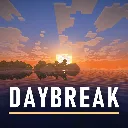
Daybreak
hildlabs · Shader pack
A lightweight Horizon shader pack: sun and moon shadows, reflective water, waving plants, coloured block light, sun rays and bloom.
Montarc
Muurrcc · Shader pack
A bright, colourful Horizon shader pack: soft shadows, coloured light, living water, wind, and a distinct Nether and End. 29 options.
Comments
Comments load when you scroll down to them.